
Faster downloads.
Zero lag.
A super-fast download manager for Windows. Downloads files in up to 32 streams at once, lets you pause and resume anytime, and never slows down your PC.
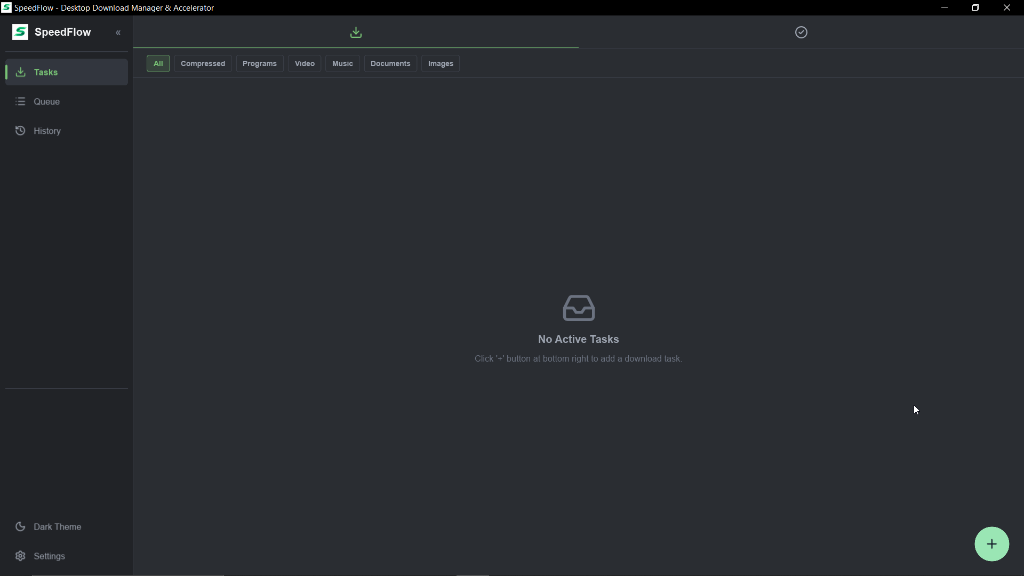
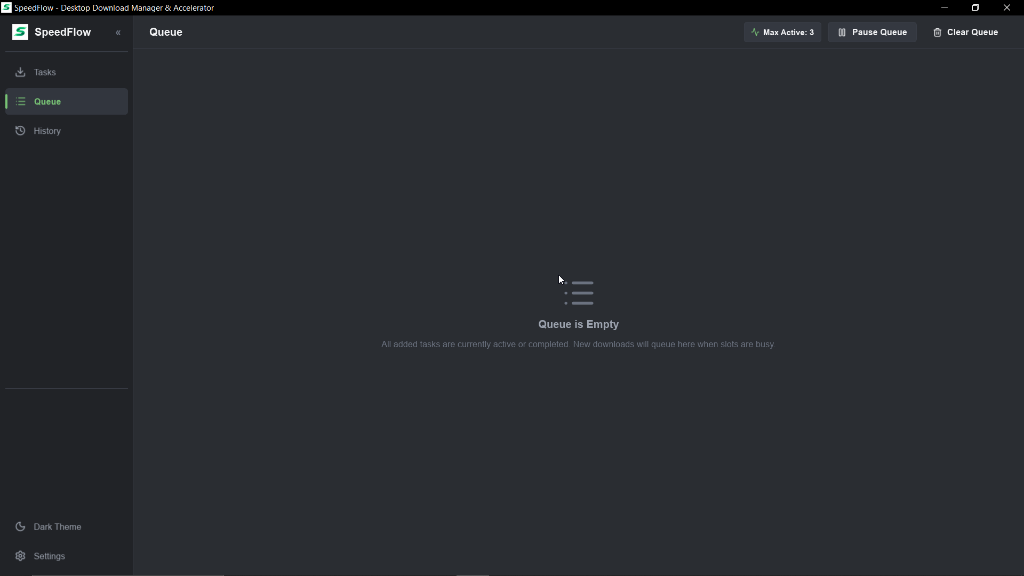
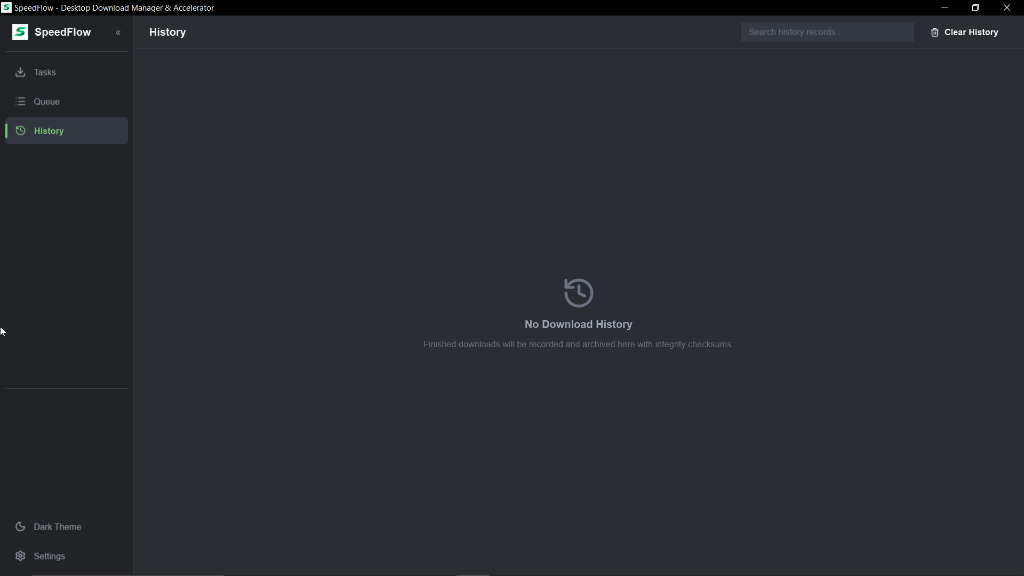
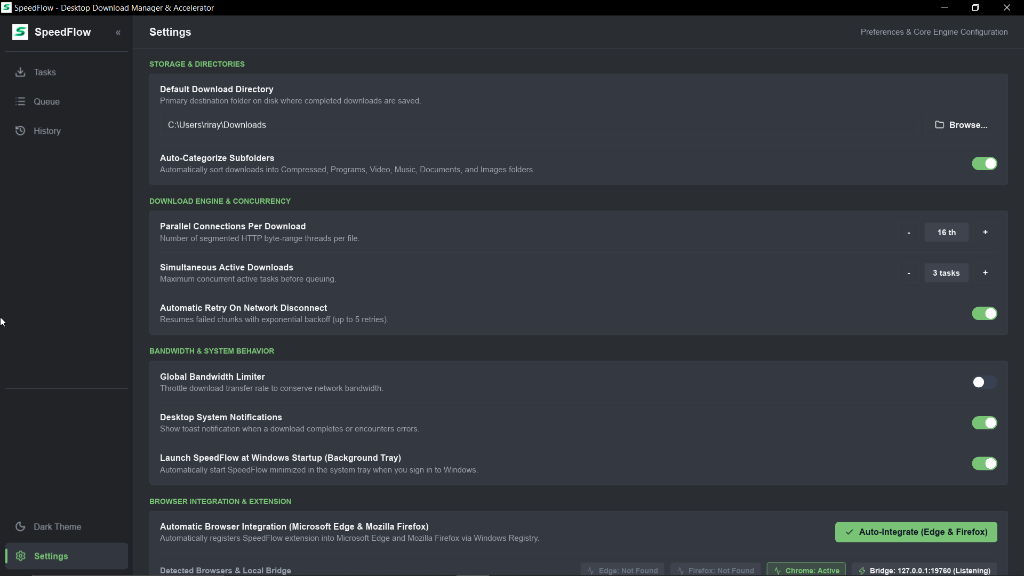
Ready in three simple steps
Start downloading faster without complicated setups or configurations.
Download SpeedFlow
Choose the setup installer or run the standalone portable version. No extra dependencies or runtimes required — it works immediately.
Catch Links Automatically
Install the free companion extension for Microsoft Edge, Firefox, or Chrome. Any download link you click is captured instantly.
Download at Full Speed
SpeedFlow breaks your download into up to 32 parallel streams, maximizes your bandwidth, and safely resumes if your internet drops.
Fast, simple, and reliable downloads
Everything you need in a modern download manager, without the bloat.
Up to 32x Faster Downloads
Downloads files in up to 32 parts simultaneously, unlocking your full internet bandwidth so you finish downloads in seconds instead of minutes.
Safe Pause & Resume
Internet dropped or need to shut down your PC? Pause anytime and resume right where you left off. Never waste quota or restart from 0% again.
Download Queue Manager
Line up multiple downloads easily. SpeedFlow downloads them one by one or together, and lets you prioritize urgent files with one click.
Automatic File Verification
Automatically verifies file integrity with SHA-256 as soon as it completes. Copy the checksum with 1 click to confirm your file is genuine and safe.
Why people choose SpeedFlow
How SpeedFlow compares to IDM, Gopeed, and regular browser downloads.
| Metric / Capability | SpeedFlow Recommended Rust • Slint • Tokio | IDM Delphi / C++ | Gopeed Go / Flutter | Default Browser Chrome / Edge / Firefox |
|---|---|---|---|---|
| App Speed & Feel | Built with Rust Opens instantly, zero lag | Older Windows App Legacy C++ interface | Modern App Flutter graphics engine | Web Browser Standard browser UI |
| RAM & Memory Usage | Under 35 MB RAM Won't slow down your PC | ~45 MB RAM Lightweight | ~95 MB RAM Higher memory usage | 300 MB+ RAM Heavy per-tab usage |
| Download Threads | Up to 32 Threads Max speed on fast internet | Up to 32 Threads Multi-connection | Up to 16 Threads Multi-connection | 1 Stream Slow single download |
| Smart Speed Booster | Yes (Automatic) Speeds up lagging parts | No Static chunk splitting | No Static chunk splitting | No No splitting |
| Price & License | 100% Free Forever Open Source (GPLv3) | Paid ($24.95 / year) Commercial license | Free & Open Source GPLv3 license | Free Built into browser |
| Ads & Privacy | Zero Ads, Zero Tracking Never collects your data | License Popups Periodic activation checks | Zero Ads No telemetry | Browser Analytics Tracks browsing data |
| File Safety Check (SHA-256) | Automatic with 1-click copy Verifies files instantly | Manual check In file properties dialog | Basic check Limited verification | Not Available Need third-party tool |
| Browser Integration | Clean 1-Click Popup Edge, Chrome, Firefox | Browser Extension Older style popups | Browser Extension Separate background service | Built-in Standard download bar |
Built for you, not advertisers
SpeedFlow is designed to be honest, lightweight, and completely free from annoying bloat.
No Ads, No Upsells
No intrusive license banners, fake download buttons, or third-party sponsor bundles. Just a clean, focused download manager that gets out of your way.
No Data Telemetry
We never collect your browsing activity, download URLs, or personal usage statistics. Your downloads stay strictly between your PC and the file server.
Local-First Storage
All your download tasks, history, and custom settings live directly on your local hard drive. No cloud accounts, logins, or external dependencies required.
Auditable Rust Code
100% of the codebase is open and publicly hosted on GitHub. Anyone can inspect the code, verify security, compile from source, or contribute.
Catches downloads with one click
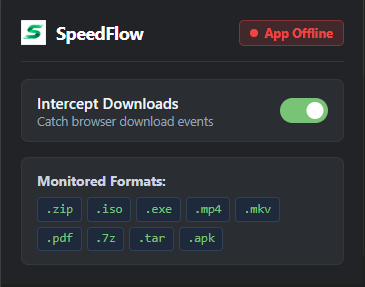
No more copying and pasting links. SpeedFlow grabs downloads directly from your browser.
Install the free companion extension for Microsoft Edge, Firefox, or Chrome. When you click to download files like .zip, .iso, .exe, or .mp4, SpeedFlow automatically starts downloading them at maximum speed.
How to Install the SpeedFlow Browser Extension
Follow this step-by-step guide for your preferred browser to activate seamless download catching.
Extension Setup in Chrome & Brave (Unpacked Mode)
Chromium StandardChromium-based browsers like Google Chrome and Brave can load the SpeedFlow extension directly from an unpacked folder.
- 1Open browser extensions page:
Type and enter the following URL in your browser address bar:
chrome://extensionsbrave://extensions - 2Enable Developer Mode:
Turn on the "Developer mode" switch in the top right corner of the extensions page.
- 3Load SpeedFlow Extension:
Click the "Load unpacked" button in the top left corner.
- 4Select the Extension Folder:
Select the extension folder located inside your SpeedFlow installation folder (or click "Open Extension Folder" directly from the Settings menu in SpeedFlow Desktop).
- 5Finished:
Pin the SpeedFlow icon to your browser toolbar. SpeedFlow is now ready to catch downloads automatically!
Extension Setup in Microsoft Edge
Native IntegrationChoose the recommended 1-click automatic method, or install manually via developer mode.
Automatic 1-Click
- Open SpeedFlow Desktop.
- Open Settings.
- Under "Browser Integration", click "Connect Edge & Firefox".
- Restart Microsoft Edge. The extension is now active.
Manual Developer Mode
- Open this URL in Edge address bar:
edge://extensions - Enable "Developer mode" switch in the lower left menu.
- Click "Load unpacked" and choose the SpeedFlow extension folder.
Extension Setup in Mozilla Firefox
Gecko EngineActivate the Firefox extension instantly via the desktop app or load temporarily via debugging.
Automatic 1-Click
- Open SpeedFlow Desktop.
- Open Settings, then click "Connect Edge & Firefox".
- Restart Mozilla Firefox. Ready to use.
Manual via Debugging
- Open this URL in Firefox address bar:
about:debugging#/runtime/this-firefox - Click "Load Temporary Add-on...".
- Select the manifest.json file inside the SpeedFlow extension folder.
Start downloading at full speed
Clean, native, and completely open source. No tracking, no ads.
SpeedFlow for Windows
Super fast and lightweight download manager built with Rust. Compatible with Windows 10 and 11.
What's new in v0.1.0-beta?
What is New in Beta:
- Multi-threaded Download Accelerator: Accelerate file downloads using up to 32 parallel connections.
- Clean Flat Desktop Interface: Distraction-free high-density UI with light and dark theme modes.
- Browser Integration: Seamless download interception ready for Google Chrome, Brave, Microsoft Edge, and Mozilla Firefox.
- Smart File Categorization: Automatically sorts downloads into Documents, Videos, Music, Programs, and Archives.
- Download Queue Management: Manage concurrent active tasks and queue waiting downloads automatically.
- Background System Tray: Minimize to tray with native Windows notifications for download events.
- Easy Onboarding Wizard: Interactive 4-step quick setup for first-time users.
Help shape the future of SpeedFlow
SpeedFlow is an open-source project created for people who want high download speeds without bloat or ads. Help us make it even better.
Frequently Asked Questions
Everything you need to know about download speed, safety, and using SpeedFlow.
Why is SpeedFlow so much faster than normal browser downloads?
Standard browsers usually download files through a single connection, which servers often throttle. SpeedFlow splits your file into up to 32 parts and downloads them all simultaneously over multi-thread connections. If one connection slows down, SpeedFlow automatically redistributes the workload so your download completes as fast as possible.
Is SpeedFlow completely free? Are there any ads or subscriptions?
Yes, 100% free and open source under the GPLv3 license. There are zero ads, zero hidden fees, and zero tracking. You get all features with no limits and no expiration.
Can I pause and resume downloads without losing my progress?
Absolutely. You can pause anytime, close the app, or turn off your PC. When you resume, SpeedFlow continues right from the exact percentage where you stopped and verifies that your file remains safe and intact — never starting over from 0%.
What if a download link expires while paused?
Many cloud and file-sharing websites expire download links after a few hours. In SpeedFlow, you don't need to download from scratch! Just paste the renewed link into your paused task, and SpeedFlow keeps downloading the remaining part seamlessly.
How does the browser extension work?
The extension connects Google Chrome, Microsoft Edge, or Mozilla Firefox directly to SpeedFlow. Whenever you click a download link on the web, it catches the file automatically and sends it straight to SpeedFlow so you don't have to copy and paste links manually.
Will SpeedFlow slow down or freeze my PC?
Not at all. Unlike heavy apps made with web technologies that consume hundreds of megabytes of memory, SpeedFlow is built with Rust. It idles under 35 MB of RAM and opens almost instantly, leaving all your PC's power free for gaming, streaming, or work.
What is the SHA-256 checksum feature for?
It lets you easily verify that your downloaded file (like Windows installers, drivers, or game updates) is genuine, complete, and hasn't been corrupted or altered. SpeedFlow calculates the hash automatically and lets you copy it with a single click.